Hey lovelies! I hope you’re having a great day (or night) wherever you are!
Anyone who knows me knows that Google Calendar is my lifeline. Genuinely I could kiss the person who invented it and shower them with praise for eternity. As a (really) Type A girl, I tend to plan out every aspect of my life. Yes I schedule my classes, when I have events, birthdays – the usual stuff. But I also fill every single day with things to do by the hour, account for “free time” to spend with friends, and schedule when and what I am eating.
And if you’re anything like me, juggling college classes, study sessions, social life, extracurriculars, self care time, and maybe a side hustle or two, you know the struggle of keeping it all together.
Obviously, this level of organization is not for everyone, and to some can be considered a nightmare. Maybe I’m slightly neurotic, but at least I’m productive! My friends and family often ask me how I balance everything in my life, and yes some of it has to do with discipline and passion. But mostly it has to do with my Google Calendar being my saving grace. Honestly, without my Google Calendar, I’d probably be a hot mess. So, I thought I’d share how I use it to organize my entire life, especially as a busy college student.

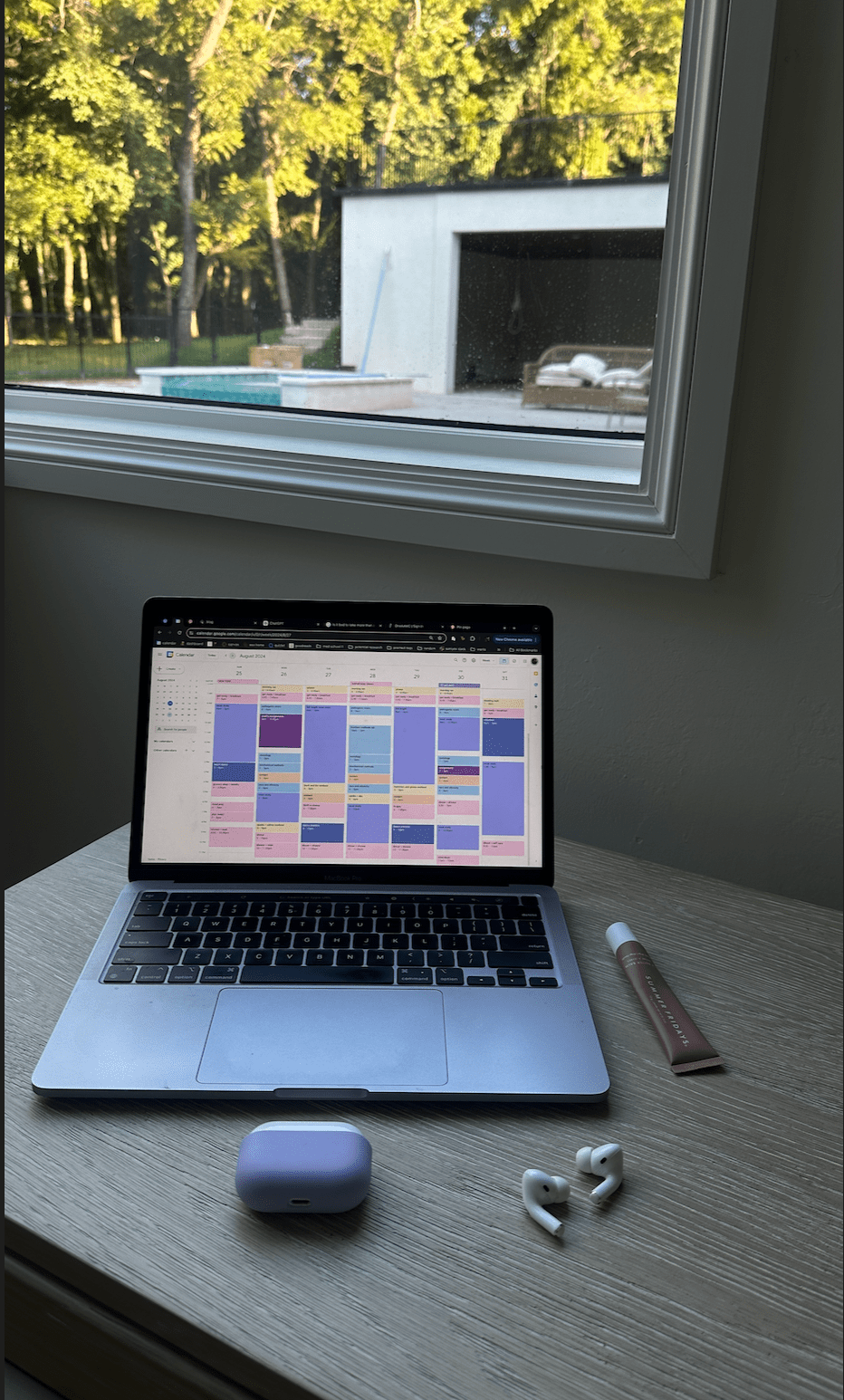
my first week of school Google Calendar as reference
This seems really daunting; I know. But when I look at it at a daily view or 4 day view, it really helps me stay in line and ensure I’m accomplishing everything I need to do by sticking to the schedule. To be so honest, it’s the only way I get anything done. Having it planned out really helps with eliminating the “what am I supposed to be doing” element from my life as well as the “I have so much to do but don’t know where to start”.
Alright, without further ado let’s dive in to how I organize my entire life using Google Calendar!
The Setup: Color Coding is Key
First things first—color coding! This is probably my favorite part of using Google Calendar because it makes everything so visually clear (and aesthetically pleasing). I’m also attaching the Hex codes I use (colors) if you want the same vibe for your Google Calendar! Here’s how I break it down:
- Classes: I assign the same color to all my classes so I know when I need to be on campus. This is especially helpful because classes are something that you can’t really skip (unless attendance isn’t mandatory), so having this light blue color immediately draws my attention
- Blue Hex Code: #b3daff
- Study Time: I like to allocate time specifically for studying and assignments. As you can see, I’m currently studying for the MCAT so that has it’s own color (light purple), however I have another study time for my college classes (dark purple).
- Light Purple Hex Code: #b3b3ff
- Dark Purple Hex Code: #9E69AF
- Personal Time: This one’s all about the warm tones—think bright orange or pink. It makes my hangouts, brunches, or those much-needed catch-ups with friends stand out.
- Pink Hex Code: #ffd4ed
- Workouts: I use a light yellow color for my workouts and activities. It helps catch my eye, which is important because workouts are another thing (like class) that I try not to sacrifice.
- Light Yellow Hex Code: #ffe7cc
- Content Creation: My “side hustles” (not really but more like a hobby) is content creation! Writing this blog, editing videos to post on TikTok, uploading clothes for Depop, photos for Instagram and Pinterest: I love it! I use a peachy orange color because I just associate content and that color together (don’t ask me why).
- Peachy Hex Code: #ffc2bd
- Extracurriculars: These are for anything under the sun, like school activities, volunteering, my job: whatever. I use a dark bluish purple because it’s not too out there but still goes with my theme.
- Bluish Purple Hex Code: #7986CB
This system works like a charm because I can glance at my calendar and instantly know what my day or week looks like. Plus I love planning when I get to see pretty colors!
Weekly Planning: My Sunday Ritual
Every Sunday, I spend about 30 minutes to an hour planning my week. This is my sacred time, where I sit with a fun drink and look at what’s coming up. I’ve set all my classes to be reoccurring until finals week in December, so those are already blocked out. I also add in study times because those are just as important as classes in my opinion.
I then add my workout times—gotta make sure I’m staying active, especially with all the sitting I do while studying. I love to start my mornings with some time of activity, whether it’s a run or pilates, and end my day with something more intense (like weightlifting). Next is content creation, which is something I genuinely look forward to. It’s like my creative outlet amidst all the academic stuff. And a little reward for when I finish my work.
Finally, I sprinkle in social plans. Whether it’s a phone call home, coffee date with a friend, catching a movie, or a night out, I make sure to schedule it. This way, I can be intentional about my time and have things to look forward to. Another way I try to stay in touch with friends is by making study dates with them! This makes studying more enjoyable and I get to spend time with them.
This is not to say that I don’t like being spontaneous! I love it. And don’t get me wrong, if a friend asks to do something I often times switch plans around so I can make it! But it’s so important to have balance and realize that in order to achieve your dreams, you need to be proactive about what you’re doing now. So seeing everything visually on my calendar makes me realize the actual amount of time I have, so I try not to waste it as best as I can.
Daily Use: My Morning Check-In
Each morning, I take a quick look at my Google Calendar to remind myself of what’s on the agenda. Sometimes things shift—life happens, right? But having everything laid out helps me stay on track. Plus, Google Calendar has this feature of “greying” your events out as time goes on, which is really satisfying to see because it’s like i’m ticking tasks off as I go.
I also use the “task” feature for smaller to-dos that don’t need a specific time slot, like assignments due on a specific day. It’s all about keeping those little things from slipping through the cracks.
Syncing with My Phone: On-the-Go Access
Google Calendar on my phone and iPad is a lifesaver. I sync it across all my devices so I can add or adjust events no matter where I am. It’s especially handy when I’m out and about and someone asks if I’m free for something or if I randomly remember an event or assignment due – I can schedule it right there.
Tips and Tricks: Making the Most of It
- Notifications: I set up notifications for important events, like deadlines or meetings. Usually, I’ll get a reminder the day before and another one 10 minutes before. It’s like having a mini personal assistant making sure I stay on task
- Recurring Events: For things that happen regularly, like classes or weekly meetings, I set them as recurring events. Saves so much time!
- Sharing Calendars: For group projects or shared plans with friends and family, I love the “share calendar” feature. Everyone’s on the same page—literally.
Why It Works for Me
Google Calendar keeps me grounded. It’s like my safety net—I can try new things, take on more responsibilities, and know that I won’t let anything slip. Plus, the act of planning and organizing gives me a sense of control, which is super comforting when college life gets hectic (and it does a lot).
Also a disclaimer: the Google Calendar picture above is a sample week! Every week isn’t that busy, and some weeks are busier. Especially after my MCAT, I’ll have so much more time because I don’t have any class on Tuesdays or Thursdays. This is just to give you a little insight on my life right now (which is quite busy).
That’s my little Google Calendar routine. It’s nothing too fancy, but it works for me, and hopefully, some of these tips can help you out too. If you’ve got any cool calendar hacks, drop them in the comments—I’m always looking for ways to up my organization game!
Thanks so much for reading! As always, feel free to comment and connect with me on my socials, I’d love to get to know you! Lots of love always ❤


 miss twenty something ❤︎
Leave a comment